Open your shop on Foilio
What it is
A free shop for your trading cards with its own link, like foilio.net/shops/your-name.
When to use it
When you want one link to send buyers instead of photos in a group chat.
How to do it
- 1
Sign in and open Your shop.
Open Your shop → - 2
Type a shop name and tap “Create my free shop →”. The shop is live at once.
- 3
Answer the 4 setup questions: games, how cards reach the buyer, who pays delivery, how you get paid.
- 4
Follow the 4-step welcome on the Cards tab: logo, delivery and payment, first cards, share your link.
- 5
Copy your link and post it where your buyers are.
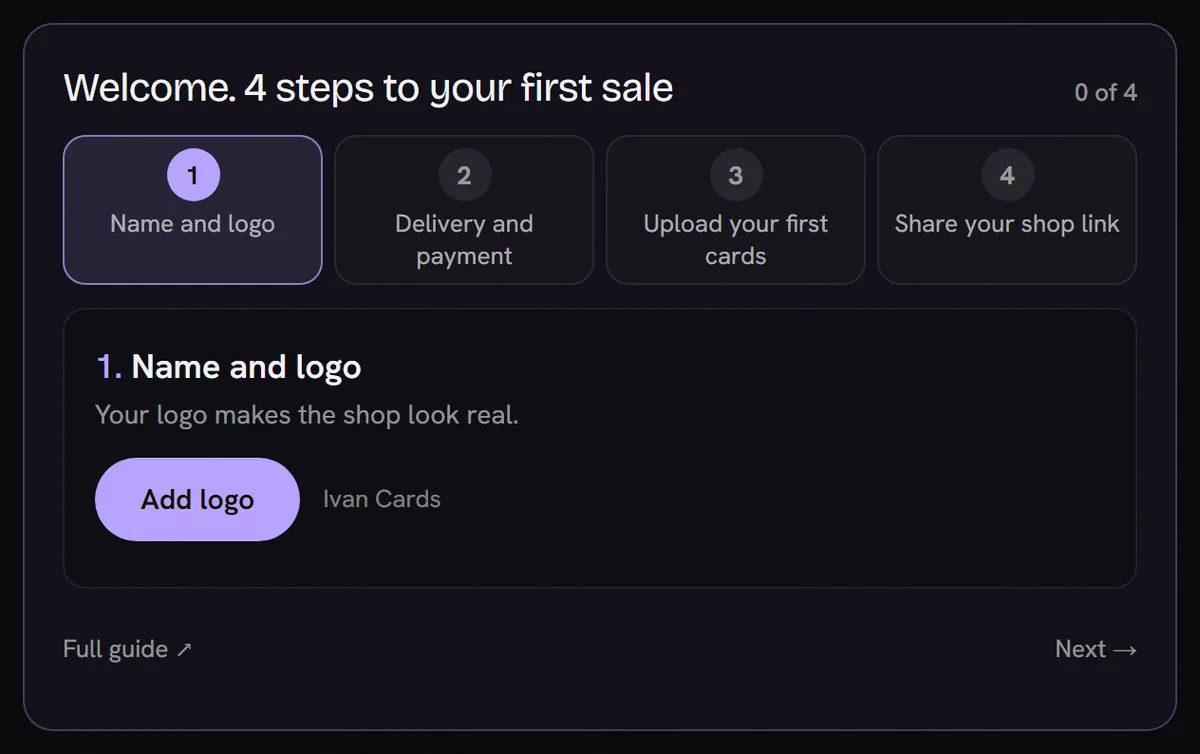
- 1Your 4 steps. A tick appears when a step is done.
- 2The step you are on, with one main button.
- 3Skip to the next step any time.
Questions
Does a shop cost anything?
No. Opening a shop is free and Foilio takes no cut of your sales. Buyers pay you directly.
My shop name is in Cyrillic and it will not save.
Your link is made from the name and needs at least 3 Latin letters or numbers. Add a Latin word, for example “Ivan Cards”.
Can I skip the setup questions?
Yes. Tap “Do this later”. The setup waits on the Cards tab and resumes at the first open question.