Buy cards on Foilio
What it is
Ordering cards from independent shops, with the whole deal kept in one chat.
When to use it
When you want a card and the price is right.
How to do it
- 1
Search one card across every shop, cheapest first, or browse the shops.
Search all shops → - 2
Tap “+ Add” on each card you want. Your order bar appears.
- 3
Open the order, pick delivery, and fill your name, phone and courier office.
- 4
Tap “Send order to seller →”. No account? “Continue as guest” is one tap.
- 5
Agree payment in the chat. Your cards are held for you the moment you order.
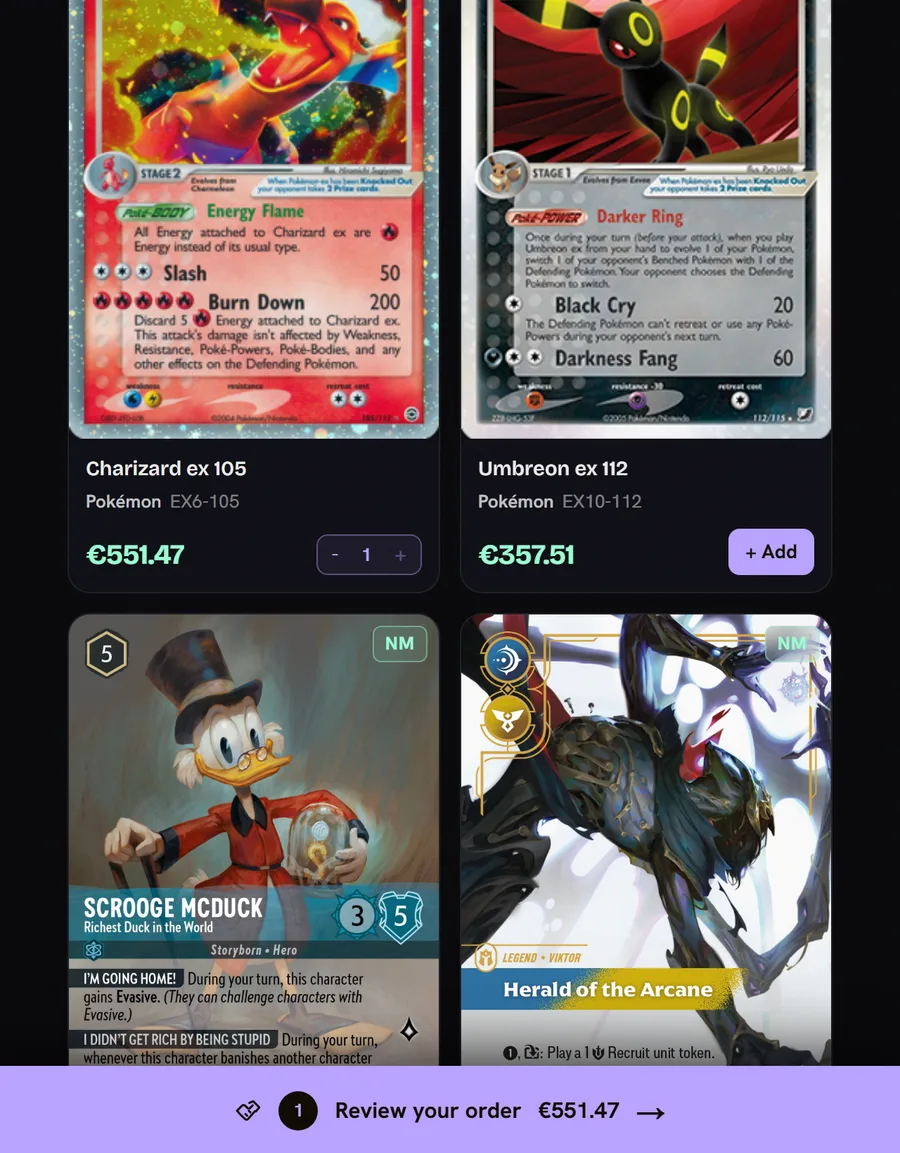
- 1Tap “+ Add” on each card you want.
- 2Change how many copies.
- 3Your order. Tap it to pick delivery and send it to the seller.
Questions
Do I pay on Foilio?
No. You pay the seller directly. Foilio takes no fee and asks for no card details.
Is the picture the real card?
Look for “Photo of the actual card”. Otherwise it is the catalogue picture, and you can tap “Request a real photo”.
Can I keep a guest order?
Yes. Tap “Keep it” and add an email to keep your orders, chat and alerts.